
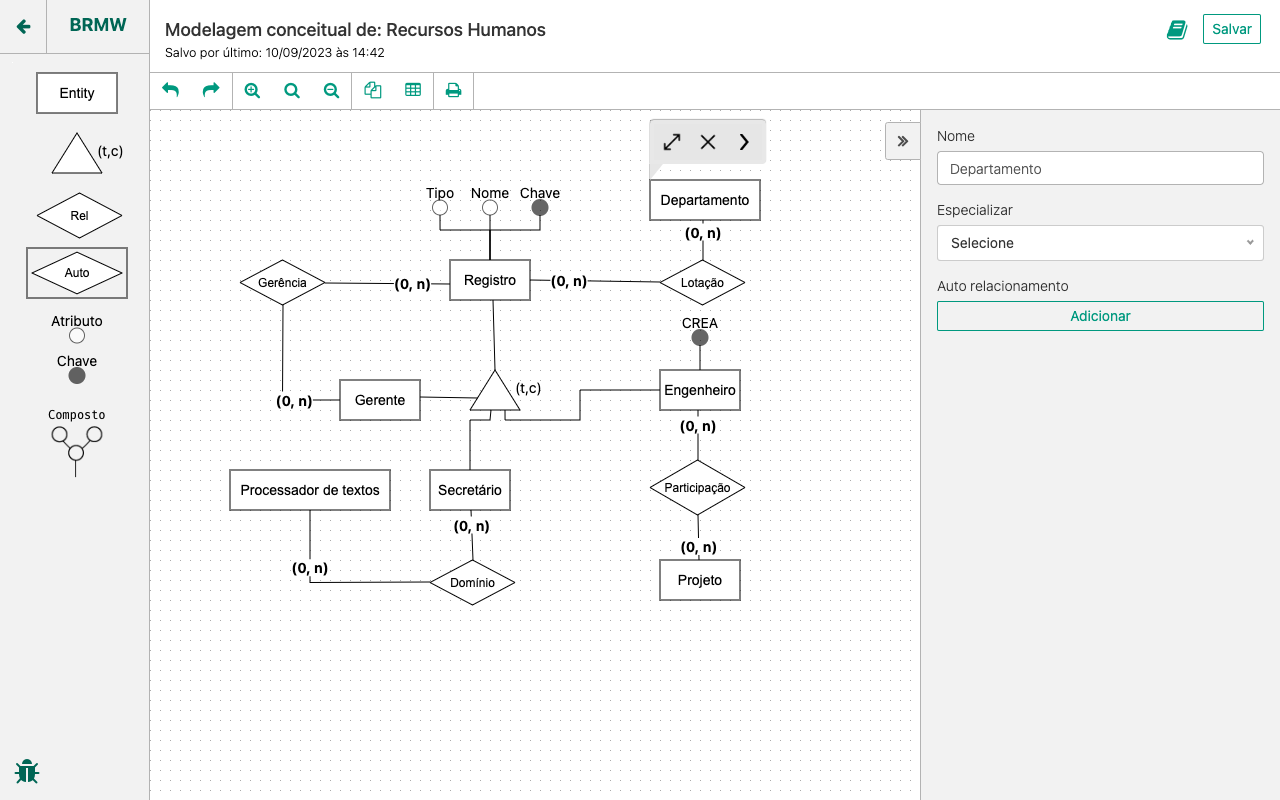
Released under the Apache License 2.0
To run this application you'll need:
- EditorConfig
- Node.js version 20.x (Strongly recommended to install it via nvm or n)
- Yarn version 1.x
- MongoDB Community Edition version 4.x (Check installation guides)
- Install dependencies:
yarn install - Duplicate
.env.exampleand rename it to.env - Make sure you have MongoDB running (To know more: MacOS, Windows, CentOS, Ubuntu or Debian)
- Start frontend:
yarn start:frontend - Start server:
yarn start:dev - Access it: http://localhost:9000/
Note: Docker setup is still a work in progress and does not offer a good developer experience. For now we recommend you to run the project locally following the instructions listed above. If you still want to use docker, here's how:
- Make sure you have Docker Desktop running
- Start docker:
docker-compose upordocker-compose up -d - Access it: http://localhost:9000/
- Once your done, finish docker:
docker-compose down
- Duplicate
cypress.env.example.jsonand rename it tocypress.env.json - Update
cypress.env.jsonwith valid user credentials (Username and password)
Warning
The data from the accound you set in cypress.env.json will be wiped out after the tests run.
So, don't use your real account here!
To run E2E tests you have two options:
- Run headless mode in your terminal window:
yarn test:cy - Run interactive mode:
yarn cy:open
To run the unit tests you have two options:
yarn testto run all the tests and collect the coverage report. Or;- Execute in a
watchmode by runningyarn test:watch
- Stable: https://app.brmodeloweb.com
- Staging: https://brmodelo-stage.herokuapp.com
Thanks goes to these wonderful people (emoji key):


This project follows the all-contributors specification. Contributions of any kind welcome!