Direct installation script for X-Ray & SSH tunneling — no VPS IP registration required.
- VPS must be fresh / never had another script installed.
- If you install this script twice, you MUST rebuild your VPS to factory settings.
- Use your own domain (recommended), or a random domain / bug host.
- Recommended OS: Ubuntu 18 / 20 LTS (most stable).



- OS:
- Debian 11 / 12
- Ubuntu 20 / 22 LTS
- CPU: Minimum 1 core
- RAM: Minimum 1 GB
- Stable VPS network connection
- Recommended OS:
- Ubuntu 20 / 22 LTS













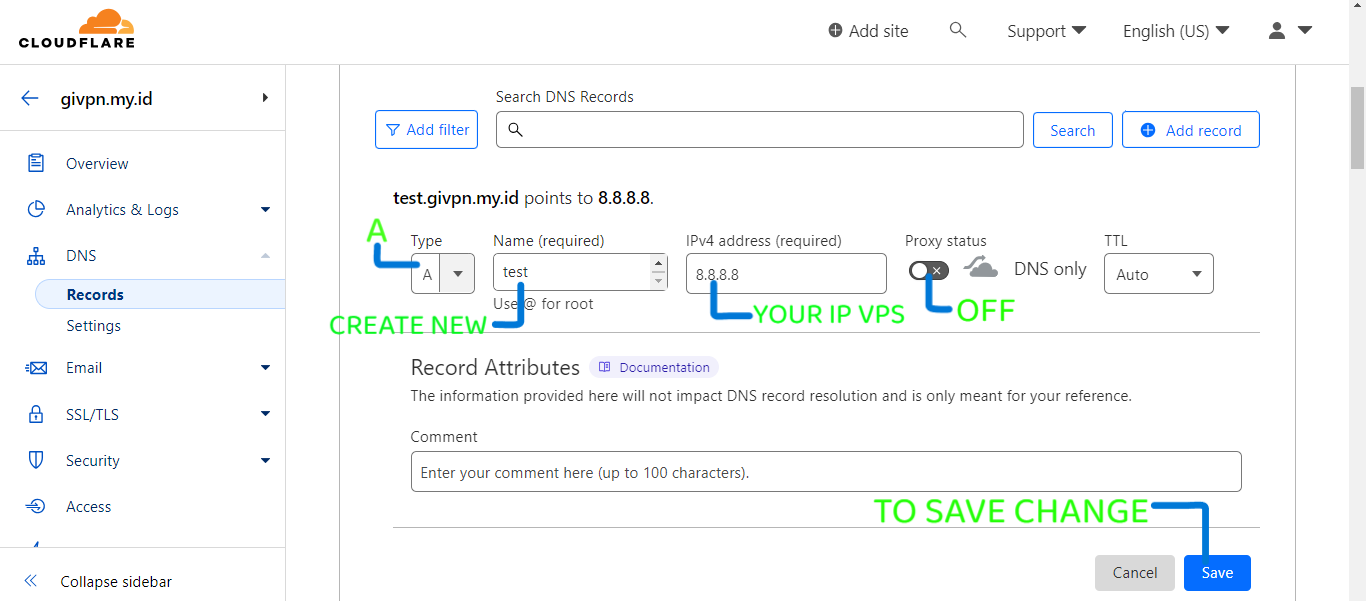
For users with a personal domain, refer to
/image folder for example configurations:
https://github.com/givpn/AutoScriptXray/tree/master/image
SSL/TLS: FULLSSL/TLS Recommender: OFFgRPC: ONWebSocket: ONAlways Use HTTPS: OFFUnder Attack Mode: OFF
Make sure your DNS pointing is correct before installing the script.
OpenSSH                  : 22
SSH Websocket            : 80
SSH SSL Websocket        : 443
Stunnel4                 : 222, 777
Badvpn                   : 7100-7900
Nginx                    : 81

Vmess WS TLS             : 443
Vless WS TLS             : 443
Trojan WS TLS            : 443
Shadowsocks WS TLS       : 443

Vmess WS None TLS        : 80
Vless WS None TLS        : 80
Trojan WS None TLS       : 80
Shadowsocks WS None TLS  : 80

Vmess gRPC               : 443
Vless gRPC               : 443
Trojan gRPC              : 443
Shadowsocks gRPC         : 443
- Speedtest® by Ookla®
- Auto-reboot scheduler
- Restart all services
- Auto-remove expired users
- Bandwidth checker
- BBRPlus v1.4.0 by Chikage0o0 Wondering what BBR is? → Google Search
- DNS Changer
- No auto-backup (feature permanently removed)
- You may add extra custom features manually
-
Optional: OpenVPN + SlowDNS + UDP-Custom
-
Optional: Webmin Panel + Ads Block (Helium v3.0) by Abi Darwish
-
Optional: Xolpanel Telegram Bot by XolvaID
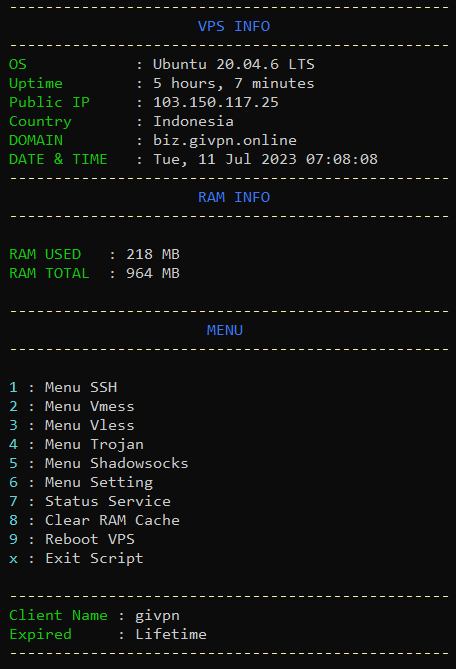
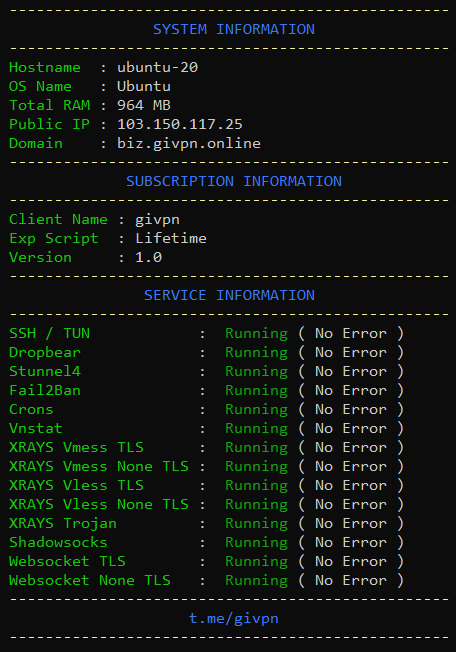
apt update && apt upgrade -y && rebootAfter reboot, proceed to Step 2.
sysctl -w net.ipv6.conf.all.disable_ipv6=1 \
 && sysctl -w net.ipv6.conf.default.disable_ipv6=1 \
 && apt update \
 && apt install -y bzip2 gzip coreutils screen curl unzip \
 && wget https://autoscript.caliphdev.com/setup.sh \
 && chmod +x setup.sh \
 && sed -i -e 's/\r$//' setup.sh \
 && screen -S setup ./setup.sh
Note: Run as root. If any error occurs, screenshot your terminal for troubleshooting.
Support the development of this project:


-
Selling this script is strictly prohibited. This script was obtained for free from the internet.
-
Your internet usage records & logs are not my responsibility as the script provider.
-
All network logs are controlled by:
- Your VPS provider
- Potentially, law enforcement agencies (e.g., FBI)
-
Use responsibly to avoid issues.
-
Watching adult content is your own responsibility.
- Thank you for taking the time to read this documentation.
- I apologize if there are mistakes or inappropriate words.
- I am also human — mistakes are normal.


![@google-labs-jules[bot]](https://avatars.githubusercontent.com/in/842251?s=64&v=4)