A real-time terminal dashboard providing CPU, memory, disk, and system insights.




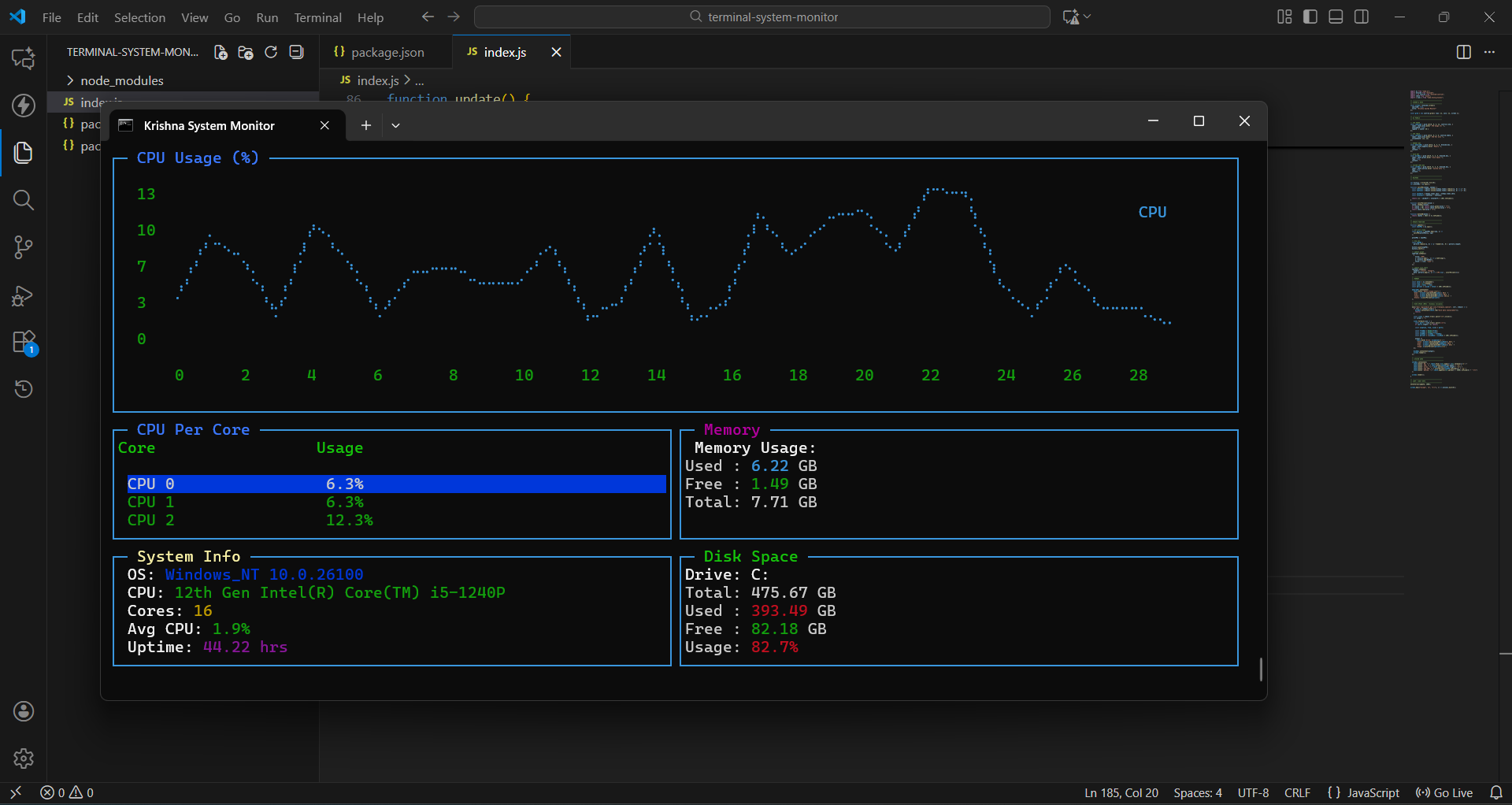
- Live CPU usage graph
- Per-core CPU usage table
- Memory usage with color-coded alerts
- Disk space (using WMIC – works on Windows without dependencies)
- System information (OS, uptime, CPU model, core count)
- Fully colorful UI using chalk
- No native modules → no node-gyp errors
- Works on all Windows terminals (PowerShell, Windows Terminal)
git clone https://github.com/krishnapschauhan/terminal-system-monitor.git
cd terminal-system-monitor
npm installnpm startor:
node index.js- Windows OS (disk usage uses
wmic) - Node.js 16+ (recommended 18+)
- PowerShell or Windows Terminal (better UI rendering)
terminal-system-monitor/
│
├── index.js
├── package.json
├── package-lock.json
├── .gitignore
└── README.md
This project is licensed under the MIT License.
© 2025 Krishna Chauhan.
You are free to use, modify, and distribute this software, provided that proper credit is given.
The software is provided as-is, without any warranty of any kind.
© 2025 Krishna Chauhan | Built with ❤️