
Environment variable validation from editor to runtime





Proud part of the ArkType ecosystem
The best way to learn ArkEnv, with interactive code blocks and type hints.
ArkEnv is an environment variable validator for modern JavaScript runtimes. It creates a ready-to-use, typesafe environment variable object:
import arkenv from "arkenv";

const env = arkenv({
  HOST: "string.ip | 'localhost'",
  PORT: "0 <= number.integer <= 65535",
  NODE_ENV: "'development' | 'production' | 'test' = 'development'",
  DEBUGGING: "boolean = false",
});
ArkEnv defaults to ArkType notation, the closest match to TypeScript syntax for editor-to-runtime typesafety. You can also use any Standard Schema validator, including Zod, Valibot, and Typia.
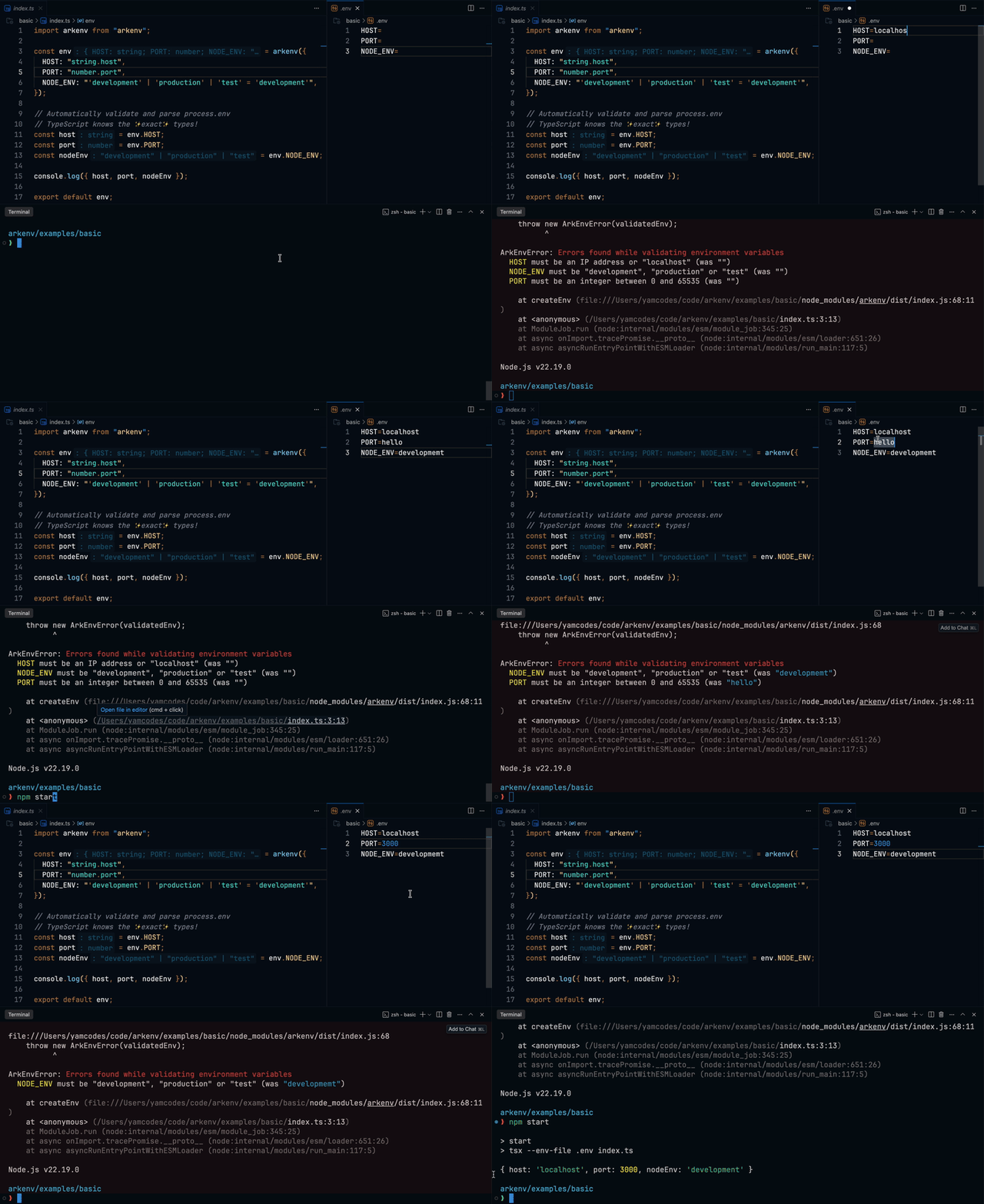
With ArkEnv, your environment variables are guaranteed to match your schema. If any variable is incorrect or missing, the app won't start and a clear error will be thrown:
❯ PORT=hello npm start

ArkEnvError: Errors found while validating environment variables
  HOST must be a string or "localhost" (was missing)
PORT must be a number (was a string)- Zero external dependencies
- Works in Node.js, Bun, and Vite
- Tiny: <2kB gzipped
- Build-time / runtime validation with editor autocomplete & type hints
- Single import, zero config for most projects
- Optional variables and default values
- Intuitive automatic coercion
- Compatible with any Standard Schema validator (Zod, Valibot, etc.)
- Native support for ArkType, TypeScript’s 1:1 validator
See how ArkEnv compares to alternatives like T3 Env, znv, and envalid in the comparison cheatsheet.
npm
npm install arkenv arktypepnpm
pnpm add arkenv arktypeYarn
yarn add arkenv arktypeBun
bun add arkenv arktype🚀 Let's get started! Read the 2-minute setup guide or start with an example.
Improve your DX with syntax highlighting in VS Code, Cursor, Antigravity, and JetBrains IDEs.
ArkEnv is tested on Node.js LTS and Current, Bun 1.3.2, and Vite from 2.9.18 to 7.x. Older versions may work but are not officially supported.
- Modern TypeScript module resolution. One of the following is required in your
tsconfig.json:"moduleResolution": "bundler"- Recommended for modern bundlers (Vite, Next.js, etc.). Supplied by default when using"module": "Preserve"(Introduced in TypeScript v5.4)."moduleResolution": "node16"or"nodenext"- For Node.js projects. Supplied by default when using a matching"module"value.
- TypeScript >= 5.1 and anything else required by ArkType
While TypeScript is the recommended setup, ArkEnv works with plain JavaScript. See the basic-js example for details and tradeoffs.
Beyond the core package, we also provide plugins for frameworks that require a specific implementation to adhere to best practices.
If you love ArkEnv, you can support the project by starring it on GitHub!
You are also welcome to contribute to the project and join the wonderful people who have contributed:
 Yam C Borodetsky 💻 💬 🤔 🎨 📖 🐛 💡 🚇 |
 Aruay Berdikulova 💻 🤔 |
 David Blass 🤔 🧑🏫 💬 |
 Andrei Danciu 💻 |